What this comparison covers
Coduf and Cursor both belong in a developer’s evaluation of AI-assisted coding, but a useful comparison should begin with the workflow you need. This article compares Coduf’s visible desktop and account-management surfaces with Cursor’s official Agent documentation. It is written by Coduf documentation and is not an independent benchmark or a hands-on performance test.
We do not claim that Coduf is faster, cheaper or more accurate. No shared repository benchmark, task-success dataset or comparable pricing calculation was run for this article. The purpose is to help you decide what to test rather than to manufacture a winner.
Compare the working surface
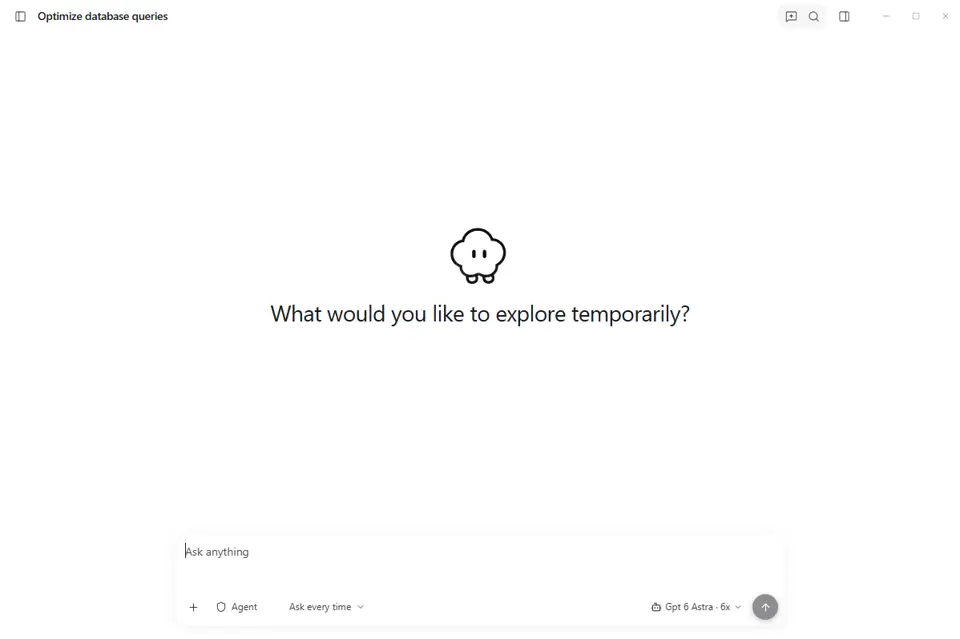
Coduf presents a desktop workspace with a conversation composer, project navigation, recent sessions and a configured model selector. This makes project and conversation organization an appropriate part of evaluating the product. Ask whether the layout fits how you move between tasks, whether you can find previous work and whether the available model configuration suits your project.
Cursor’s Agent documentation describes searching a codebase, editing multiple files, running terminal commands and working through development tasks. It also explains how users interrupt work and review changes. Evaluate these documented actions against your requirements; do not infer that another tool implements identical behavior simply because both products use the word agent.
Test a bounded coding task
Use a small, representative change rather than asking either product to build an entire application. Record the initial repository revision and the expected outcome. Provide equivalent context and constraints. Inspect the actual diff, run the relevant checks and note how often you need to correct an assumption. Keep code quality, correctness and review effort separate from the fluency of the assistant’s explanation.
A product demonstration may show what is possible under one set of conditions. It does not establish consistent performance across languages, repositories or model versions. If you need a performance comparison, repeat the same evaluation and report the method and results, including failures.
Compare models and access separately
Check the models available in your actual Coduf workspace. For Cursor, consult its current official documentation and pricing rather than relying on a dated third-party summary. Model names, availability and commercial terms change. A comparison should state its review date and link to the source instead of embedding a price that may no longer apply.
Coduf package contents are defined by the published offer. Do not assume a universal credit restriction or universal unlimited access from a general comparison article. Consult the live pricing page for package-specific inclusions and the offer that applies to you.
Inspect permissions and data handling
Before allowing either product to work with proprietary code, understand where requests are processed, which tools can run and what review controls are available. Ask about credentials, execution permissions and the boundary between desktop behavior and remote services. A local application window alone does not prove local inference or a particular retention policy.
When evaluating account administration, test the access controls you actually intend to use. Coduf includes device and workspace management surfaces. Their presence does not imply a certification, service-level agreement or single sign-on feature. Require specific documentation for those requirements.
Choose using evidence from your project
A suitable tool should solve representative tasks while keeping the result understandable and reviewable. Try the working surface, verify available models and read the current plan. Keep your decision tied to those observations. Neither this comparison nor a search ranking can establish which product will fit every developer.
Source review: 4 November 2026. This page uses official documentation and observed product surfaces; it does not report a comparative benchmark. cursor.com cursor.com
Your next project starts here.
Explore the desktop app and choose the plan that fits your workflow.