Start with the task, not the leaderboard
A model that explains a small function clearly may not be the best choice for a change spanning several modules. Separate the work into explanation, implementation, debugging and review. Define what success means before choosing a model: a specific test passes, a documented behavior changes, or a confusing section becomes understandable. This makes the choice repeatable instead of depending on whether one answer sounds impressive.
For a code explanation, provide the function and the question you need answered. For a bug, include the error, a minimal reproduction and the expected result. For a larger implementation, identify the affected components and compatibility constraints. Model capability cannot compensate for a task whose desired outcome is missing.
Check availability in your actual workspace
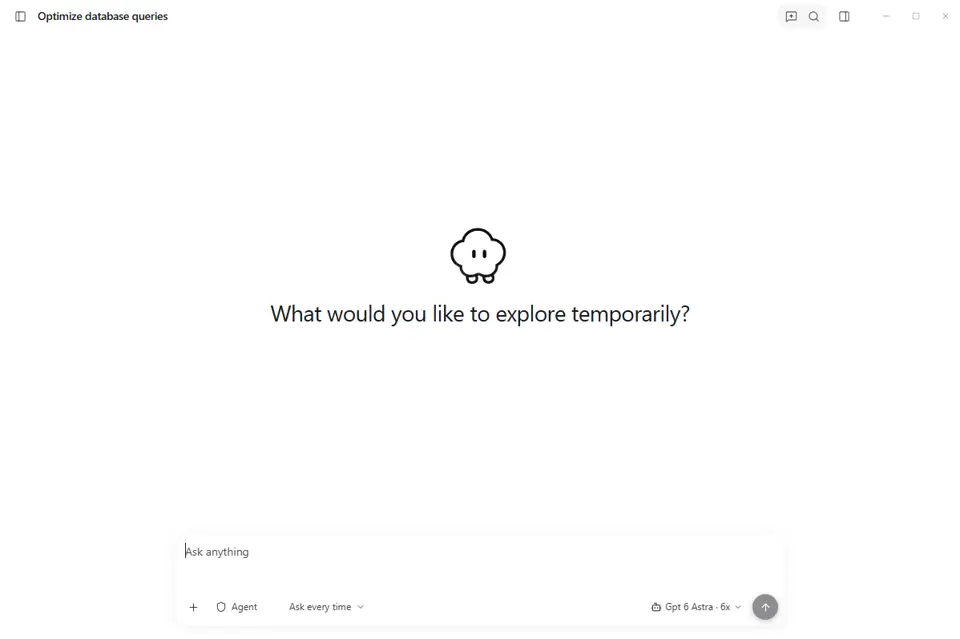
Use the models exposed by your current Coduf configuration. The product includes a model selector and centrally managed provider and model catalogs. A provider logo on a product page is not a promise that every model from that company is enabled for every account. Availability can change, so consult the current interface rather than an old screenshot or a third-party list.
Model selection and billing are different decisions. Read the plan details shown on the pricing page. Do not assume that a model is free, that all providers use the same accounting, or that every package is unlimited. For package-specific inclusions, use the current published offer as the reference.
Compare results on one controlled example
Choose a small task from a repository you can safely use. Record the starting revision, the prompt and the checks you will run. Keep the same constraints when comparing candidates. Review whether the result actually solves the task, whether it changes unrelated code and how much correction is needed. If an assistant supplies tests, inspect whether they would detect the original failure.
Record elapsed time only when you measure it consistently. A single successful attempt is an example, not a benchmark. Network conditions, project context and model versions can affect the result. If you publish a comparison, include unsuccessful attempts and the date of the evaluation instead of selecting only the most flattering output.
Evaluate review effort alongside answer quality
A shorter patch can be easier to review, but brevity alone does not make it correct. Look for preserved error handling, readable boundaries and compatibility with the existing project. Check for new dependencies and configuration changes. For authentication, payments and access controls, require a more careful review than you would for an isolated visual adjustment.
Ask the assistant to explain uncertainty and assumptions. When it cannot verify a result, the answer should make that limitation visible. Confidence in the wording is not a substitute for evidence from the repository.
Treat local and remote processing as separate questions
A desktop interface does not automatically mean the model runs on the same device. Before submitting confidential code, check the configured provider and applicable data-handling terms. Do not infer complete offline operation, zero retention or a privacy certification from a provider name. Those are specific claims that need specific documentation.
Learn from documented approaches
Continue documents provider configuration and separate model roles, while Aider documents connecting different LLMs and model-related troubleshooting. Those are useful examples of why model choice depends on workflow and configuration. They do not prove that every configuration described by those tools exists in Coduf.
Official references, reviewed 4 November 2026: docs.continue.dev docs.continue.dev aider.chat
Your next project starts here.
Explore the desktop app and choose the plan that fits your workflow.